SOP — Fermentation Monitoring
FUERST WIACEK Version 1.4 | Cellar — all fermentation tanks | Frequency: daily, per active tank, until packaging
Purpose
Daily fermentation monitoring ensures that each beer progresses through fermentation as expected and that any deviations are identified and acted on promptly. All readings are logged in the fermentation spreadsheet.
Monitoring is performed once daily and covers five parameters: Plato (gravity), pH, temperature, spund, and tank pressure.
Equipment
- Alcohol spray
- One-way gloves
- Water hose
- Small pitcher
- Anton Paar gravity meter
- pH meter
- Distilled water
- Paper towels
- pH meter storage solution
Parameters Logged
| Parameter | Method | Source |
|---|---|---|
| Plato (gravity) | Anton Paar gravity meter — filtered sample | Tank sample |
| pH | pH meter — same filtered sample | Tank sample |
| Temperature | Read from Botec | Botec system |
| Spund | Visual read from tank gauge | Tank gauge |
| Pressure | Visual read from tank gauge | Tank gauge |
Process
1. Pull Sample from Tank
Warning
Spray your gloves with alcohol before touching anything.
- Remove the bottom tap cover cap and place it in the PAA bath.
- Open the tap slowly and fill the pitcher halfway.
- Discard the sample down the drain. This flushes the tap and ensures the next sample is representative of the tank.
- Open the tap again and pull a fresh sample into the pitcher. Set aside.
Warning
Clean the tap immediately after pulling the sample.
-
Remove the top cap, rinse through the tap and surrounding area generously with the water spray gun, then spray through with alcohol.
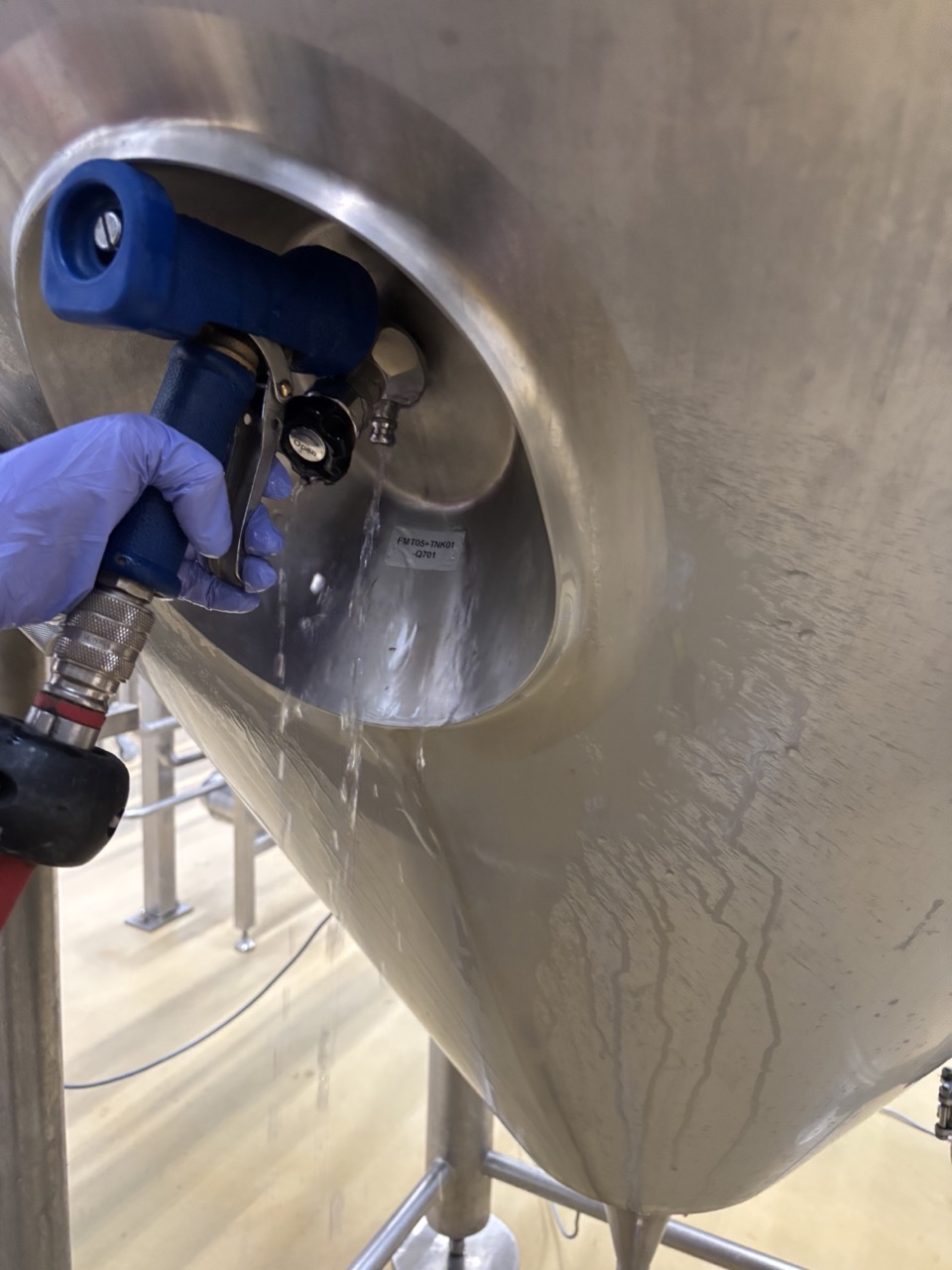 6. Fill the bottom cap with alcohol and attach it. Spray the top cap with alcohol and attach it on top.
2. Prep Sample
- Place a coffee filter in a funnel on top of a clean 250 ml pitcher.
- Pour the tank sample through the filter and allow it to drip through until a sufficient volume has collected.
3. Plato Reading — Anton Paar
- Switch on the Anton Paar gravity meter.
- Flush the machine: draw approximately 5 samples through and discard each. Push the sample through, dip into the filtered beer, and release slowly so the chamber fills without gas pockets.
- Take the reading. Log the result in the fermentation spreadsheet.
Note
If today's reading is the same as yesterday's or higher, fermentation may have stalled or reached final gravity. Discuss with the team. If the reading is 0.1°P lower than yesterday, fermentation is progressing — continue monitoring.
Note
After use, rinse the Anton Paar briefly with fresh water and then distilled water before storing. For full cleaning procedure, calibration, and maintenance schedule, refer to the Anton Paar DMA 35 Maintenance SOP.
4. pH Meter Preparation
Rinse the probe with distilled water and wipe dry with a paper towel.
5. pH Reading
- Dip the prepared pH meter probe into the filtered sample.
- Wait for the reading to stabilise, then log the result in the fermentation spreadsheet.
6. Temperature, Spund and Pressure
- Check the tank temperature in Botec and log it in the fermentation spreadsheet.
- Read the spund and pressure gauges directly on the tank and log both in the fermentation spreadsheet.
7. pH Meter Storage
Rinse the probe with distilled water, wipe dry, and place it back in the storage solution. For full cleaning and calibration procedure, refer to the Hanna HALO2 Maintenance SOP.
Final Gravity and Advancing Fermentation
Final gravity (FG) is considered reached when today's Plato reading is identical to yesterday's, or when it is higher. A reading that is 0.1°P lower than the previous day should be discussed with the team before advancing.
When FG is confirmed, a VDK check is performed before the beer can proceed to the next stage. Refer to the VDK SOP for the full procedure.
Checklist
Per tank, each day:
- [ ] Sample pulled, tap cleaned and capped after
- [ ] Plato logged in fermentation spreadsheet
- [ ] pH logged in fermentation spreadsheet
- [ ] Temperature (from Botec) logged
- [ ] Spund logged
- [ ] Pressure logged
- [ ] pH meter probe returned to storage solution
Troubleshooting
| Issue | Likely Cause | Action |
|---|---|---|
| Gravity reading same or higher than previous day | Fermentation stalled or at FG | Do not advance automatically. Discuss with team. Check temperature and yeast health. |
| pH reading unstable or drifting | Probe needs cleaning or calibration | Re-rinse probe with distilled water and wipe dry. Re-dip and allow more time to stabilise. |
| Anton Paar reading inconsistent | Gas pockets in sample or insufficient flushing | Flush machine again with additional draws. Ensure sample is drawn slowly to avoid gas pockets. |
| Off flavour or aroma noticed in sample | Fermentation issue or contamination | Note on fermentation sheet and flag to team immediately. Do not advance fermentation. |